Overview
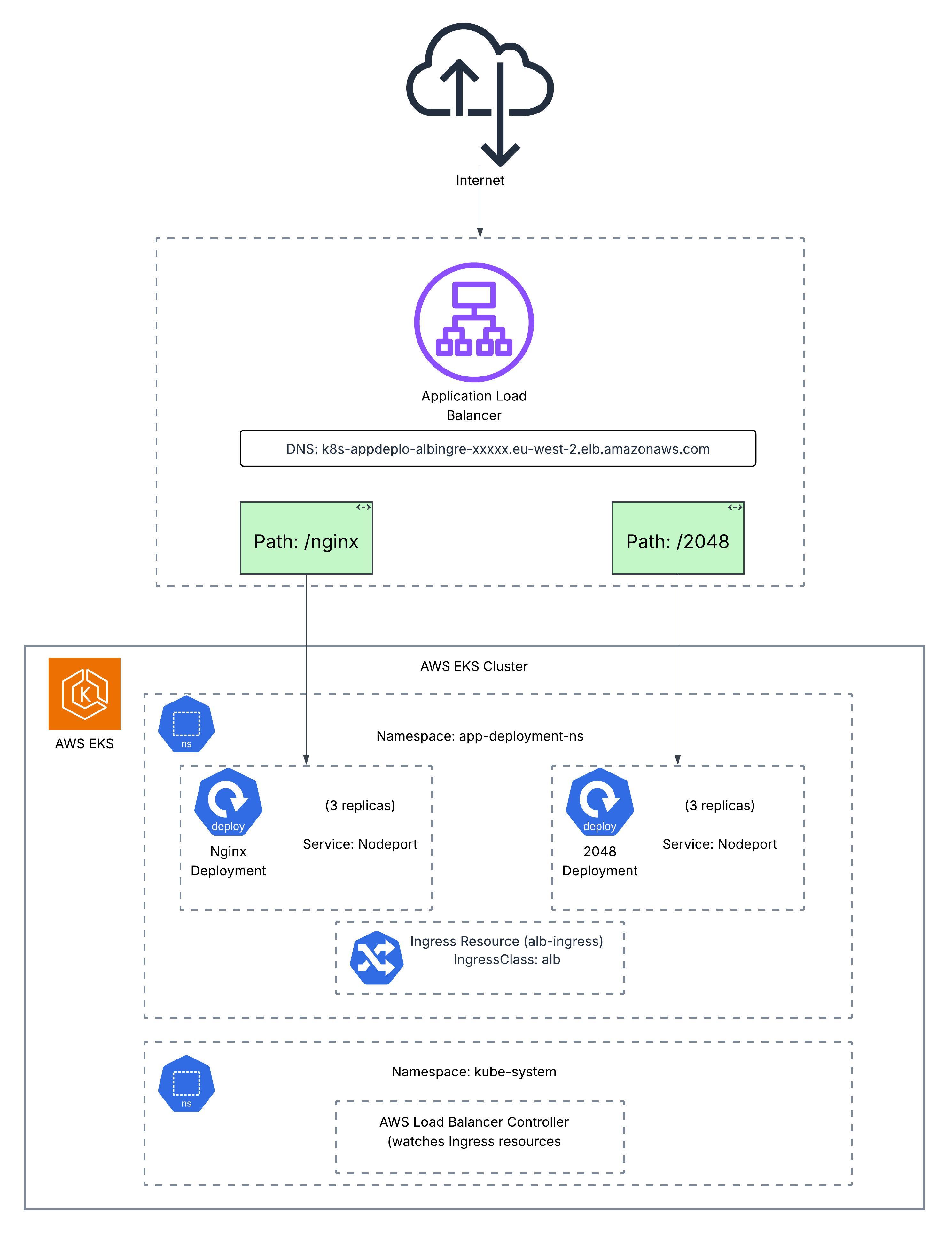
This project demonstrates deploying the AWS Load Balancer Controller on an Amazon EKS cluster to automatically provision Application Load Balancers for Kubernetes Ingress resources. The implementation showcases path-based routing to direct traffic to multiple applications (NGINX and 2048 game) through a single ALB endpoint.
By leveraging the AWS ALB Ingress Controller, this setup enables efficient traffic management, cost optimization (single ALB for multiple services), and seamless integration with AWS services like Certificate Manager for SSL/TLS termination.
Architecture
Prerequisites
- EKS Cluster: An existing Amazon EKS cluster
- eksctl: CLI tool for creating and managing EKS clusters
- kubectl: Kubernetes command-line tool configured to access the cluster
- AWS CLI: Configured with appropriate permissions
- IAM Permissions: Ability to create IAM policies and roles
Step-by-Step Implementation
1Enable IAM OIDC Provider
To allow the cluster to use AWS Identity and Access Management (IAM) for service accounts, associate an OIDC provider with the cluster.
eksctl utils associate-iam-oidc-provider \

  --cluster YOUR_CLUSTER_NAME \

  --approve
2Create IAM Policy for ALB Controller
Create an IAM policy that allows the AWS Load Balancer Controller to make calls to AWS APIs on your behalf.
aws iam create-policy \

  --policy-name AWSLoadBalancerControllerIAMPolicy \

  --policy-document file://iampolicy.json
3Create IAM Service Account
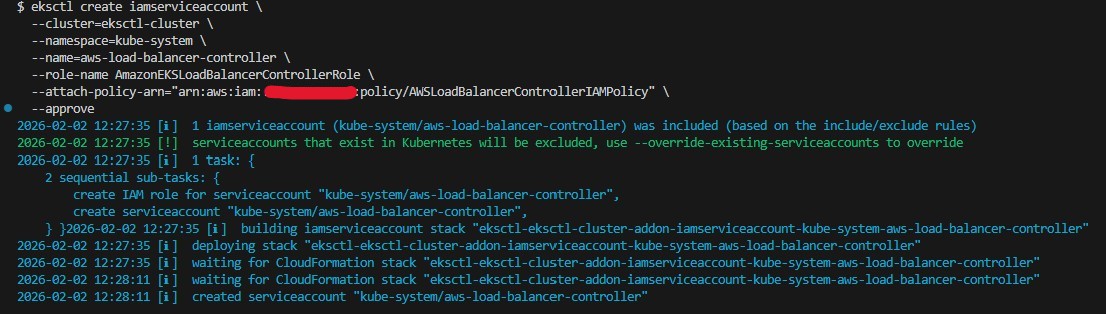
Create a Kubernetes service account for the AWS Load Balancer Controller with the IAM policy attached.
eksctl create iamserviceaccount \

  --cluster=YOUR_CLUSTER_NAME \

  --namespace=kube-system \

  --name=aws-load-balancer-controller \

  --attach-policy-arn=arn:aws:iam::AWS_ACCOUNT_ID:policy/AWSLoadBalancerControllerIAMPolicy \

  --override-existing-serviceaccounts \

  --approve
4Verify Service Account
Verify that the new service account was created successfully.
eksctl get iamserviceaccount \

  --cluster=YOUR_CLUSTER_NAME \

  --name=aws-load-balancer-controller \

  --namespace=kube-system

5Install cert-manager
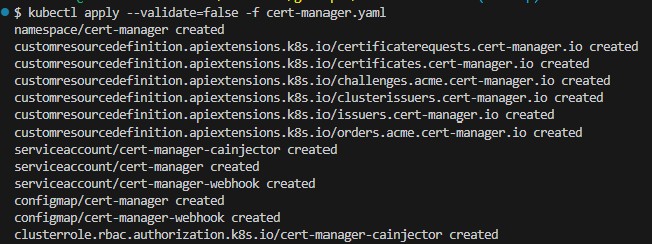
Install cert-manager to automatically generate and manage TLS certificates for Kubernetes webhooks.
kubectl apply --validate=false -f cert-manager.yaml
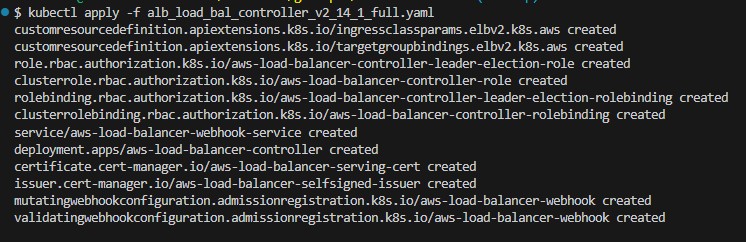
6Install AWS Load Balancer Controller
Before applying the controller manifest, update the cluster name in the deployment spec section.
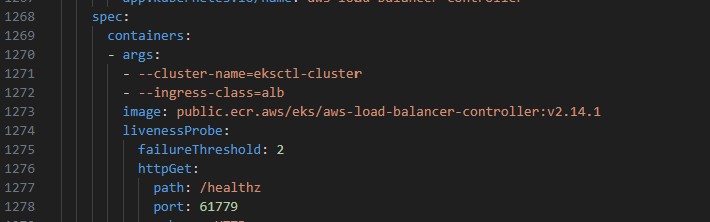
Apply the AWS Load Balancer Controller manifest.
kubectl apply -f alb_load_bal_controller_v2_14_1_full.yaml
7Create Ingress Class
Create the IngressClass and IngressClassParams resources for the ALB controller.
kubectl apply -f ingress_classv2.14.1.yaml

8Verify Controller Installation
Verify that the AWS Load Balancer Controller is running.
kubectl get deployment -n kube-system aws-load-balancer-controller

9Deploy Sample Applications
Now deploy two applications (NGINX and 2048 game) to demonstrate path-based routing through a single ALB.
Create namespace and deploy NGINX:kubectl create -f namespace.yaml
kubectl create -f nginx-deployment.yaml
kubectl create -f nginx-nodeport-service.yaml


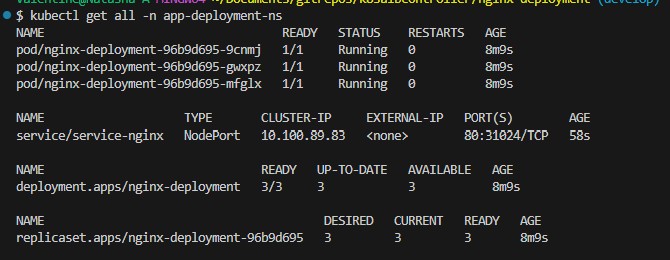
Verify NGINX deployment:
kubectl get all -n app-deployment-ns
10Deploy 2048 Game Application
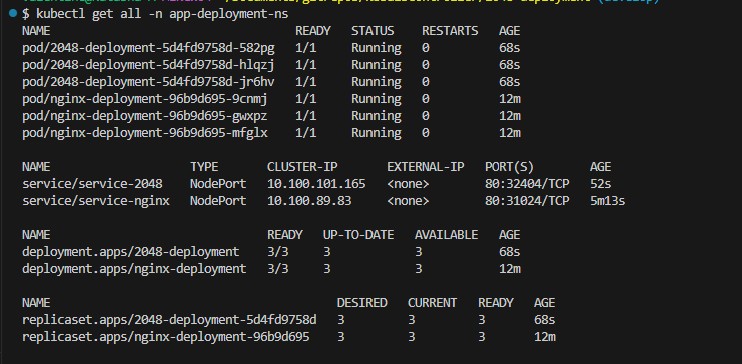
Create and verify the 2048 game deployment with its NodePort service.
kubectl create -f 2048-deployment.yaml

kubectl create -f 2048-nodeport-service.yaml

kubectl get all -n app-deployment-ns
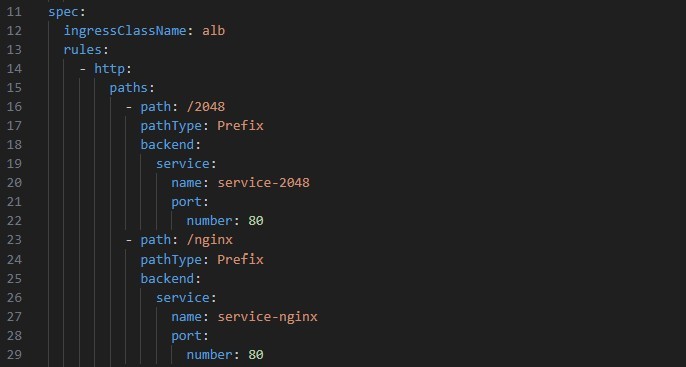
11Configure Ingress Resource
Configure the Ingress resource with multiple paths to route requests to each deployment. The paths /2048 and /nginx are defined to route to the respective services.
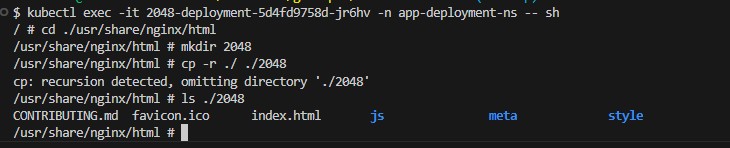
12Create Path Directories in Pods
To enable path-based routing, create corresponding directories in each pod to serve requests from the specified paths.
kubectl exec -it 2048-deployment-5d4fd9758d-582pg -n app-deployment-ns -- sh

# cd ./usr/share/nginx/html

# mkdir 2048

# cp -r ./ ./2048
13Create and Verify Ingress Resource
Apply the Ingress resource and verify it was created successfully.
kubectl create -f ingress_resource.yaml

kubectl get ingress -n app-deployment-ns

14Verify ALB Creation in AWS Console
When the Ingress resource is created, the AWS Load Balancer Controller automatically provisions an Application Load Balancer in AWS.

View the load balancer details including the DNS name.
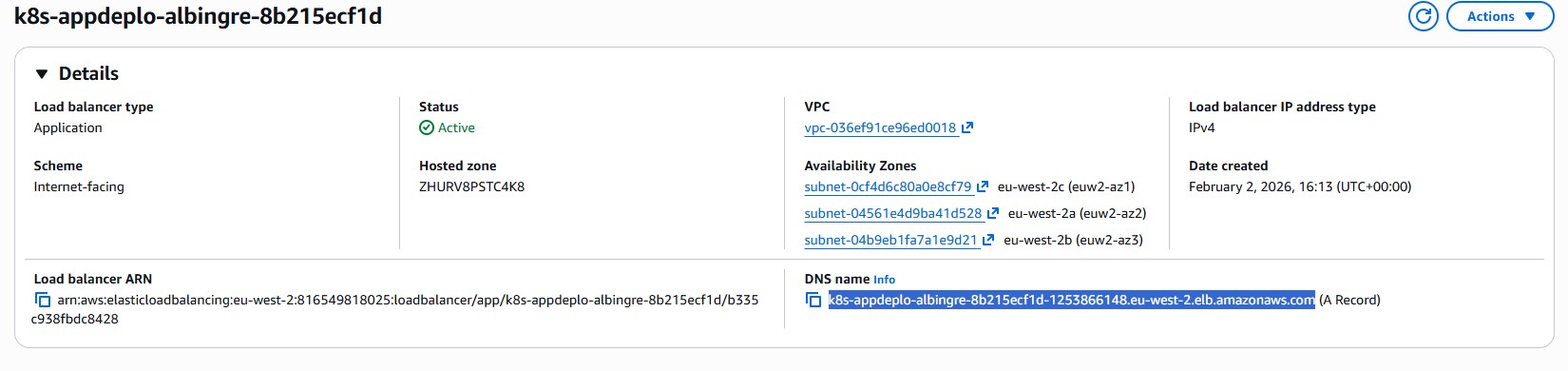
The ALB automatically creates target groups for each service.

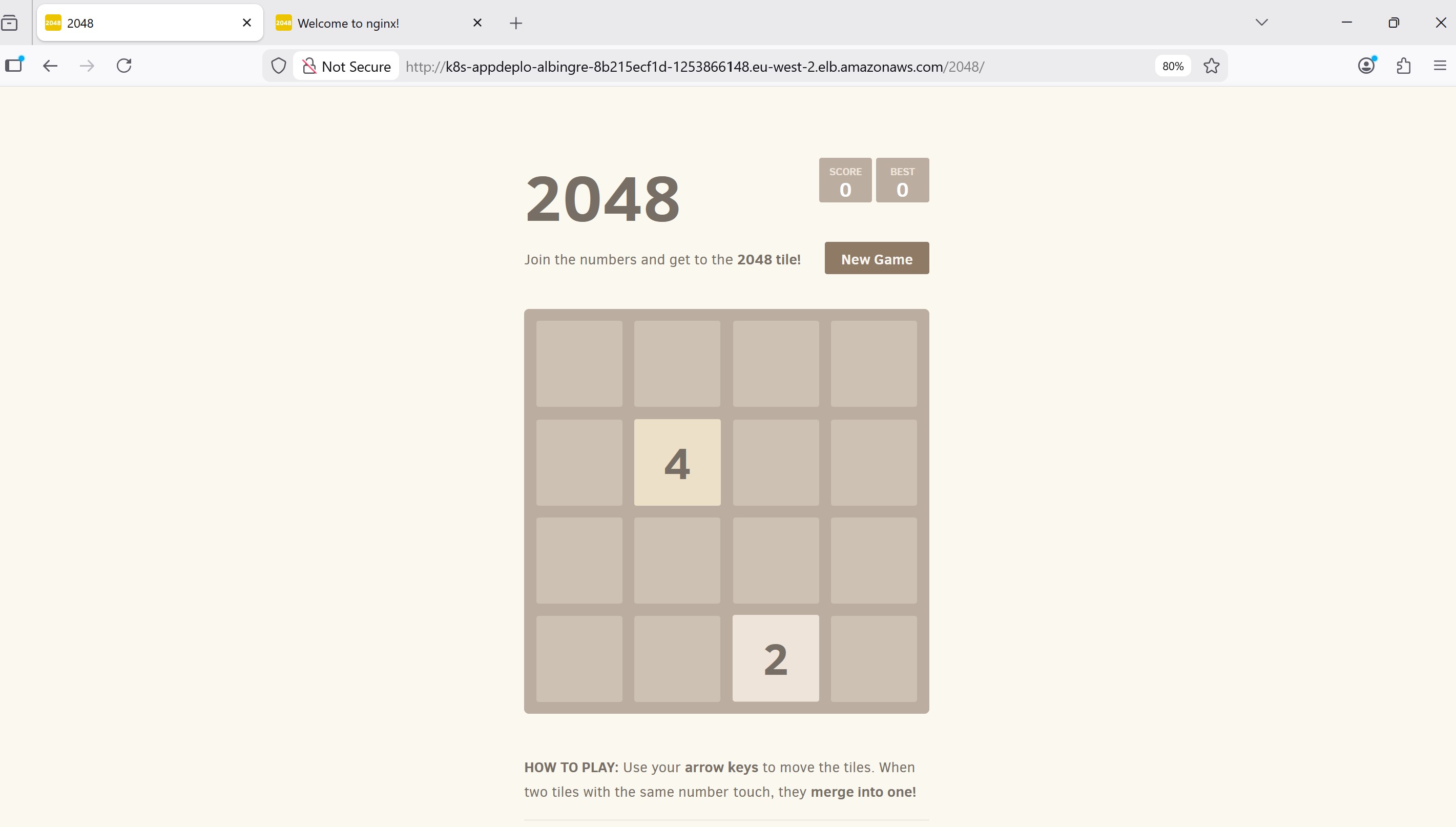
15Test Path-Based Routing
Verify that requests are correctly routed to the respective deployments using the ALB DNS name.
NGINX Application (/nginx path):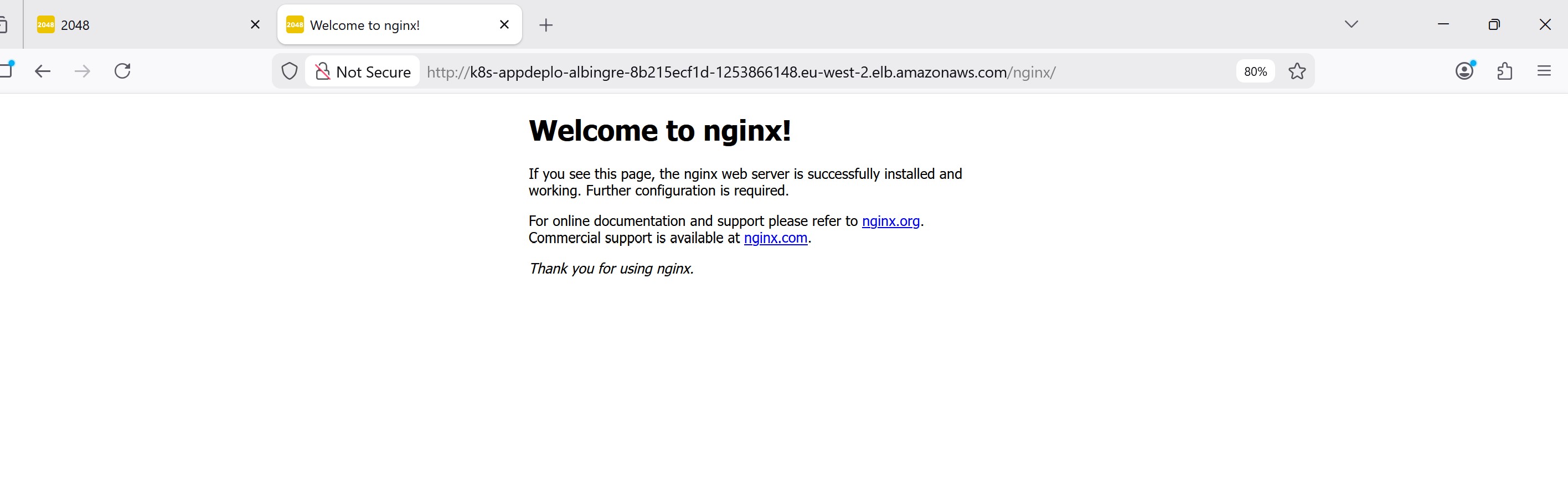
Key Achievements
- Successfully deployed AWS Load Balancer Controller v2.14.1 on EKS
- Configured IAM roles for service accounts (IRSA) for secure AWS API access
- Deployed multiple applications with NodePort services
- Implemented path-based routing through a single ALB
- Automated ALB provisioning through Kubernetes Ingress resources
- Reduced infrastructure costs by using one ALB for multiple services
Common Troubleshooting
Issue: ALB not being created
Solution: Check the AWS Load Balancer Controller logs and verify IAM permissions.
kubectl logs -n kube-system deployment/aws-load-balancer-controller
Issue: Target group shows unhealthy targets
Solution: Verify that the pods are running and the health check path is accessible.
kubectl get pods -n app-deployment-ns

kubectl describe ingress -n app-deployment-ns
Issue: 404 errors on path-based routes
Solution: Ensure the application has the corresponding directory structure to serve requests at the specified paths.
Technologies Used
Conclusion
This project demonstrates the power of the AWS Load Balancer Controller for managing application traffic in Kubernetes. By leveraging path-based routing through a single ALB, organizations can reduce costs while maintaining flexibility in how they expose multiple services to the internet.
The integration of IAM roles for service accounts ensures secure communication between Kubernetes workloads and AWS services, following the principle of least privilege. This pattern is essential for production-grade Kubernetes deployments on AWS.