Jenkins CI/CD Pipeline for Node.js
Automated build, test, and deployment pipeline for Node.js applications with Docker Hub integration
Overview
The goal of this project is to create a complete Jenkins CI/CD pipeline by authoring a Jenkinsfile that automates the build, test, and deployment process for a Node.js application. The pipeline containerizes the application using Docker and publishes images to Docker Hub, enabling seamless deployment to development environments or Kubernetes clusters.
Project Objectives:
- Install and configure Docker
- Run Jenkins in a containerized environment
- Configure Jenkins with required plugins and tools
- Install Docker client within Jenkins container
- Create Jenkinsfile to build Node.js application
- Build and test Docker images and push to Docker Hub registry
Step-by-Step Implementation
1Install Docker
The first step is to install Docker on your system. Docker installation instructions for various operating systems can be found at https://docs.docker.com/engine/install.
This implementation uses Ubuntu 22.04.1 LTS.
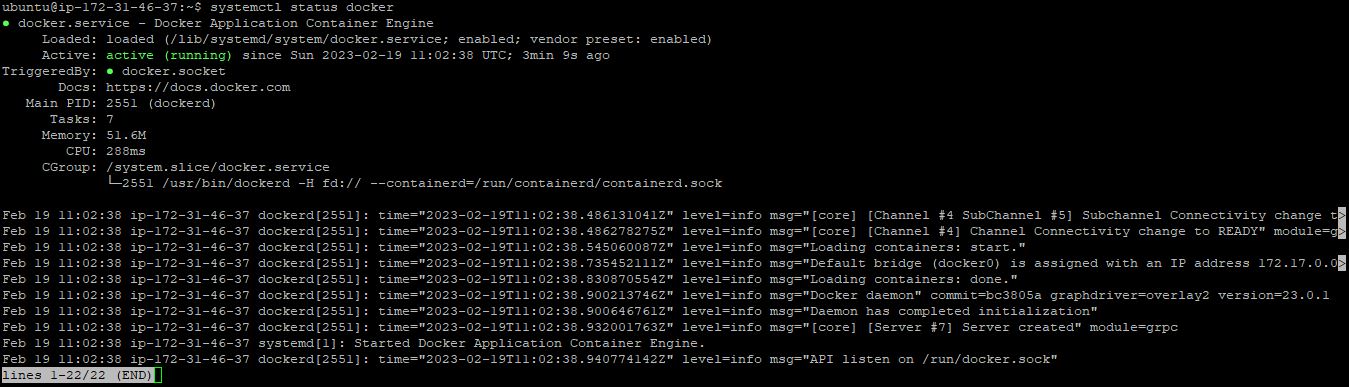
Verify Docker installation and service status
systemctl status docker
2Run Jenkins Container on Docker
Create a dedicated directory for Jenkins data persistence and configure appropriate permissions:
sudo mkdir -p /var/jenkins_home


sudo chown -R 1000:1000 /var/jenkins_home/
Run Jenkins container with persistent volume
docker run -dt --restart always \
  -p 8080:8080 -p 50000:50000 \
  -v /var/jenkins_home:/var/jenkins_home \
  --name jenkins jenkins/jenkins:lts
This command pulls the latest Jenkins LTS image, maps the Jenkins volume to the host for data persistence,
and uses the --restart always flag to ensure the container automatically restarts if it stops.
docker ps

3Configure Jenkins with Required Plugins and Tools
Initial Setup:
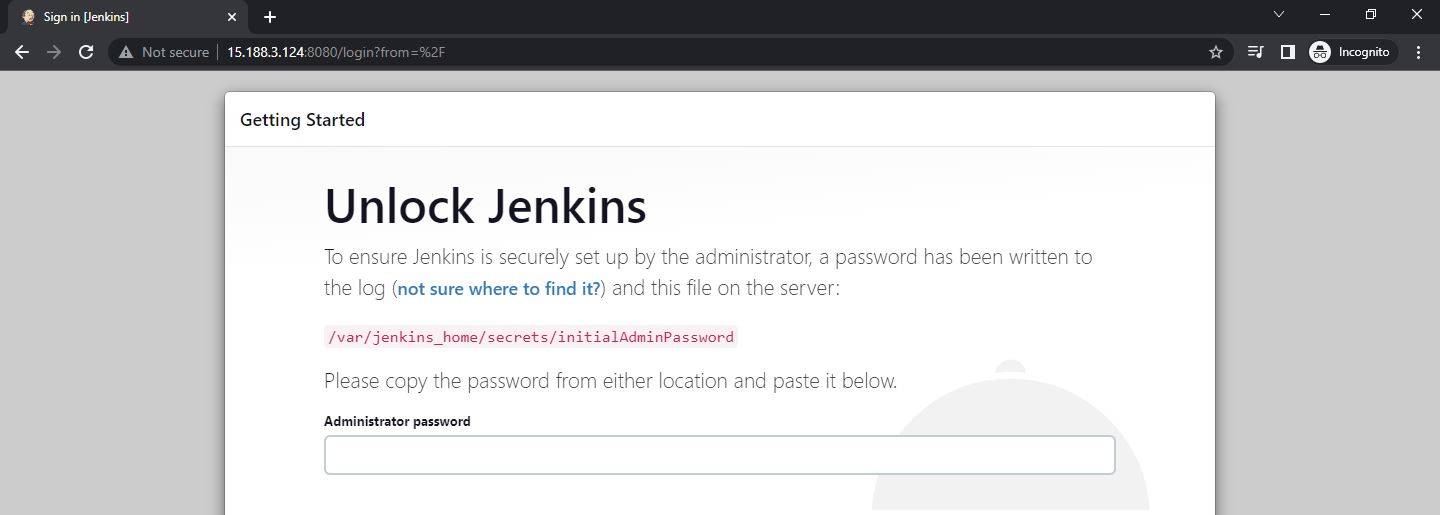
Retrieve the initial administrator password and access Jenkins through your browser at http://localhost:8080:
To get Jenkins initial admin password:
cat /var/jenkins_home/secrets/initialAdminPassword
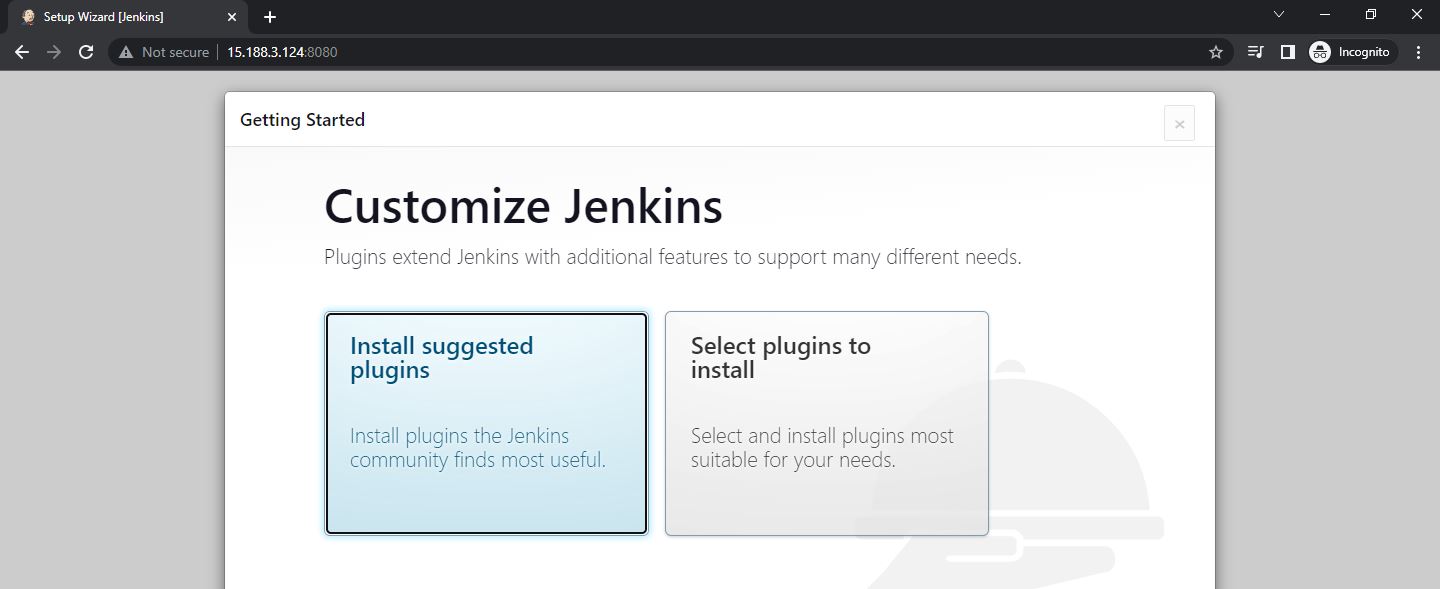
Install the suggested plugins (takes approximately 2 minutes):
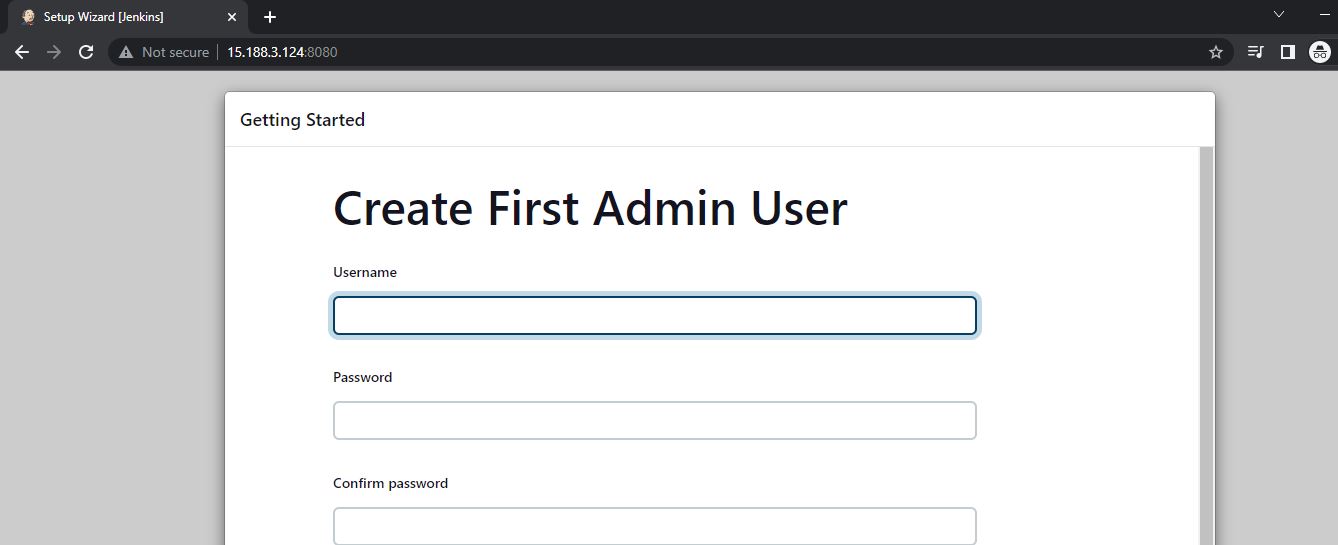
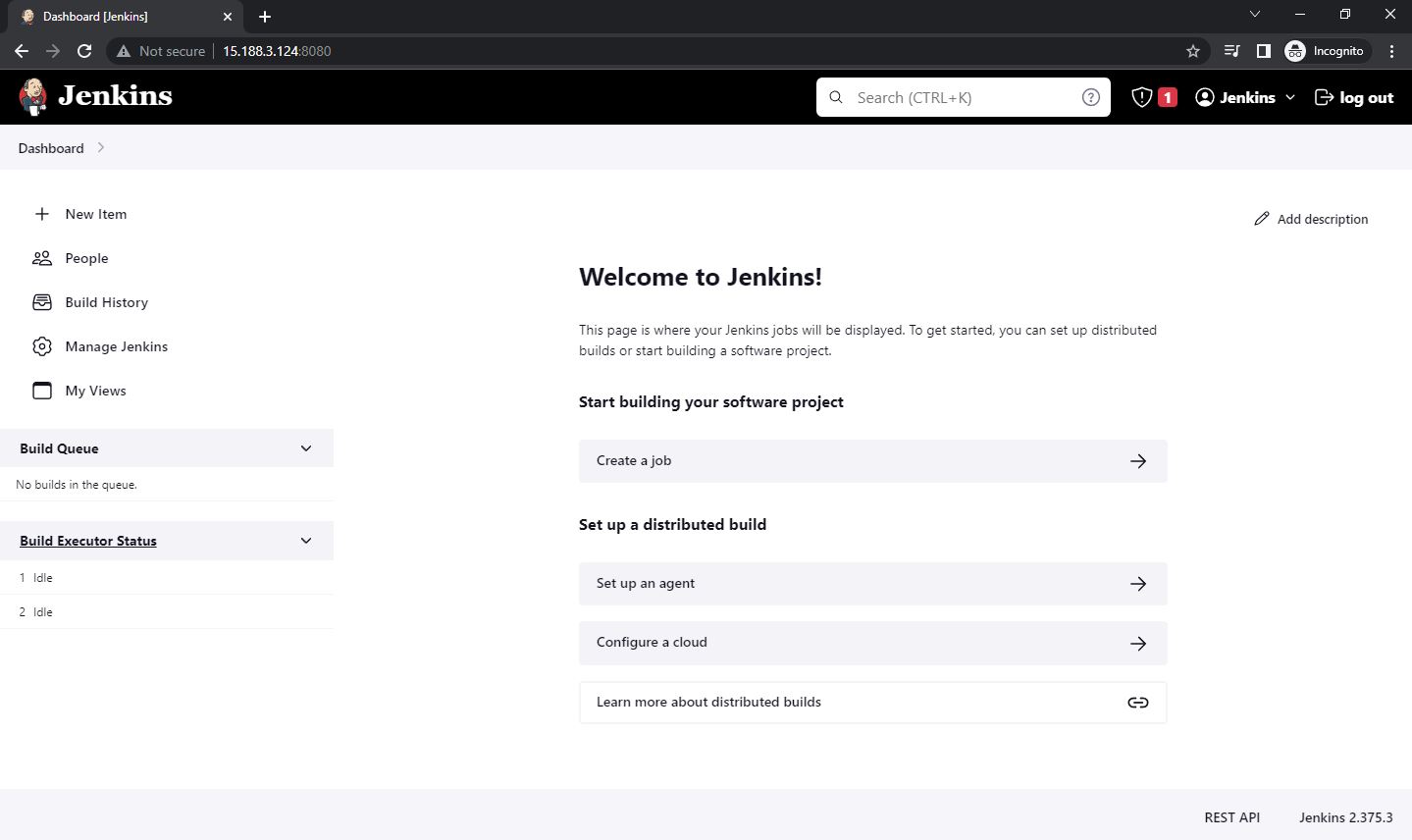
Create the first admin user and complete the initial setup:
Install Additional Plugins:
Three additional plugins are required for this CI/CD pipeline:
- NodeJS Plugin: Enables NodeJS build tool configuration
- Docker Pipeline Plugin: Provides Docker support in Jenkins pipelines
- CloudBees Docker Build and Publish Plugin: Simplifies Docker image building and publishing
Navigate to: Manage Jenkins → Manage Plugins → Available Plugins
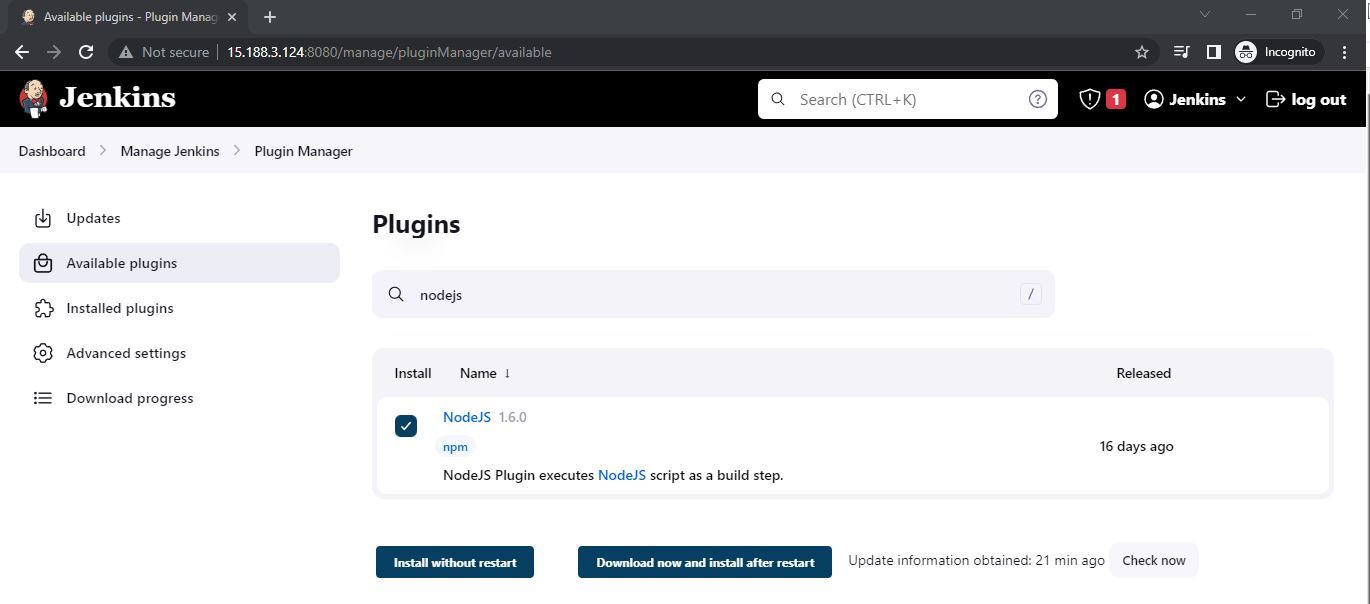
Search for each plugin and click "Download now and install after restart".
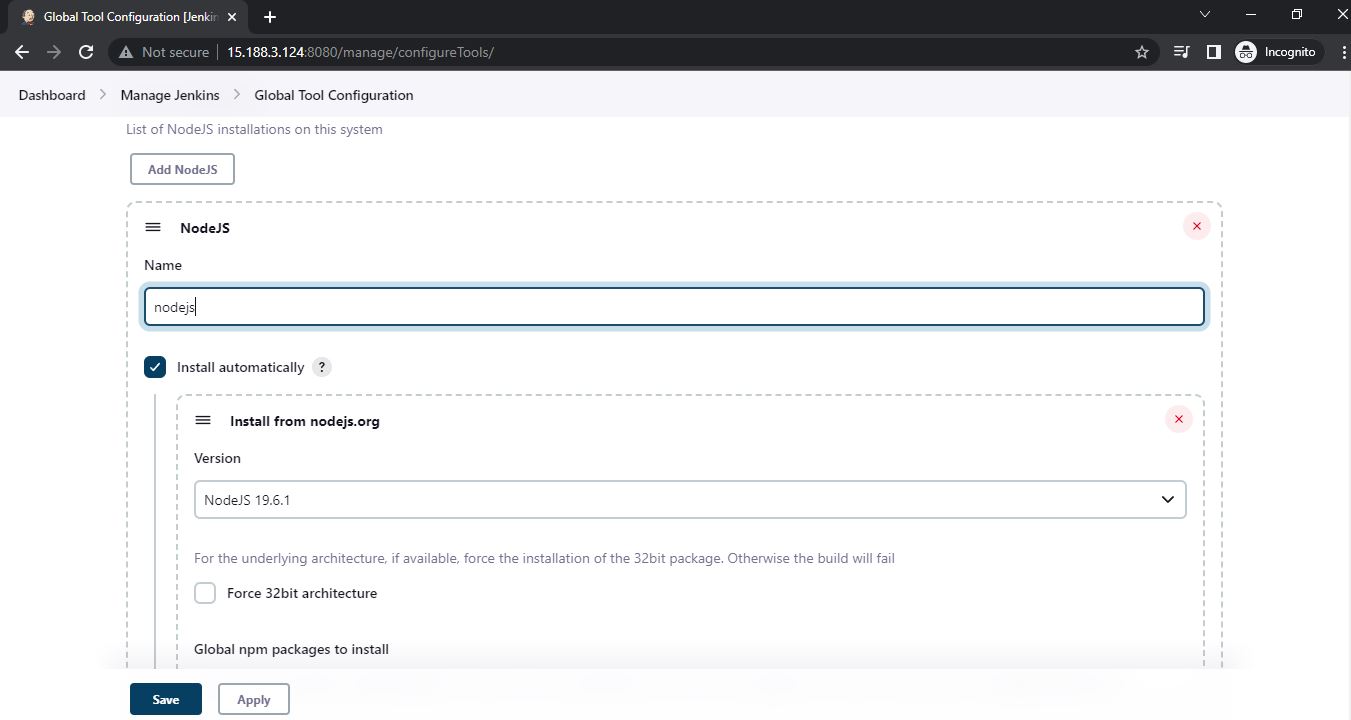
Configure NodeJS in Global Tool Configuration:
Navigate to: Manage Jenkins → Global Tool Configuration
Add a NodeJS installation named "nodejs" (case-sensitive, as it will be referenced in the Jenkinsfile):
Configure Docker Hub Credentials:
- Create a Docker Hub account at https://hub.docker.com/signup
- Create a repository on Docker Hub for your project
- In Jenkins, navigate to: Manage Jenkins → Manage Credentials → Global Credentials → Add Credentials
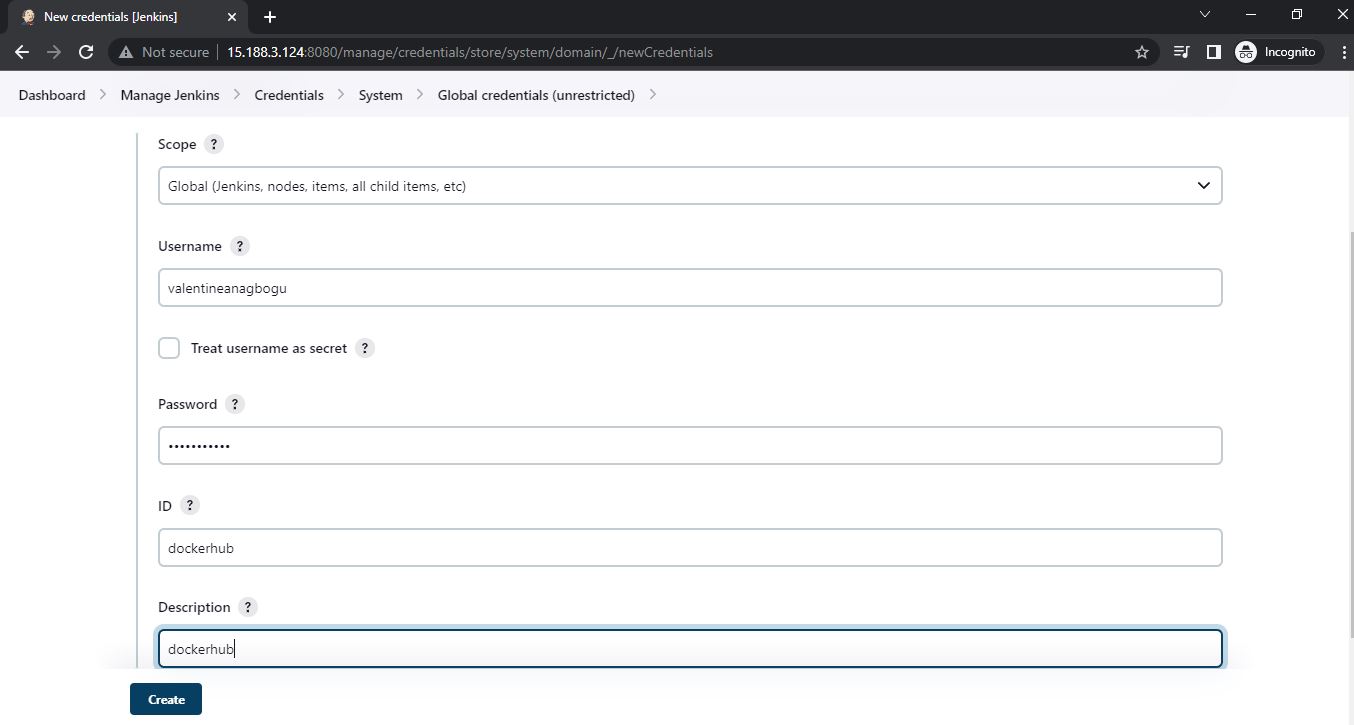
Enter your Docker Hub username and password, and set the credential ID as "dockerhub" (this will be referenced in the Jenkinsfile).
4Install Docker Client on Jenkins
To enable Jenkins to build Docker images, we need to install the Docker client inside the Jenkins container. This is accomplished using a custom Dockerfile available at https://github.com/valentineanagbogu/docker-client.git
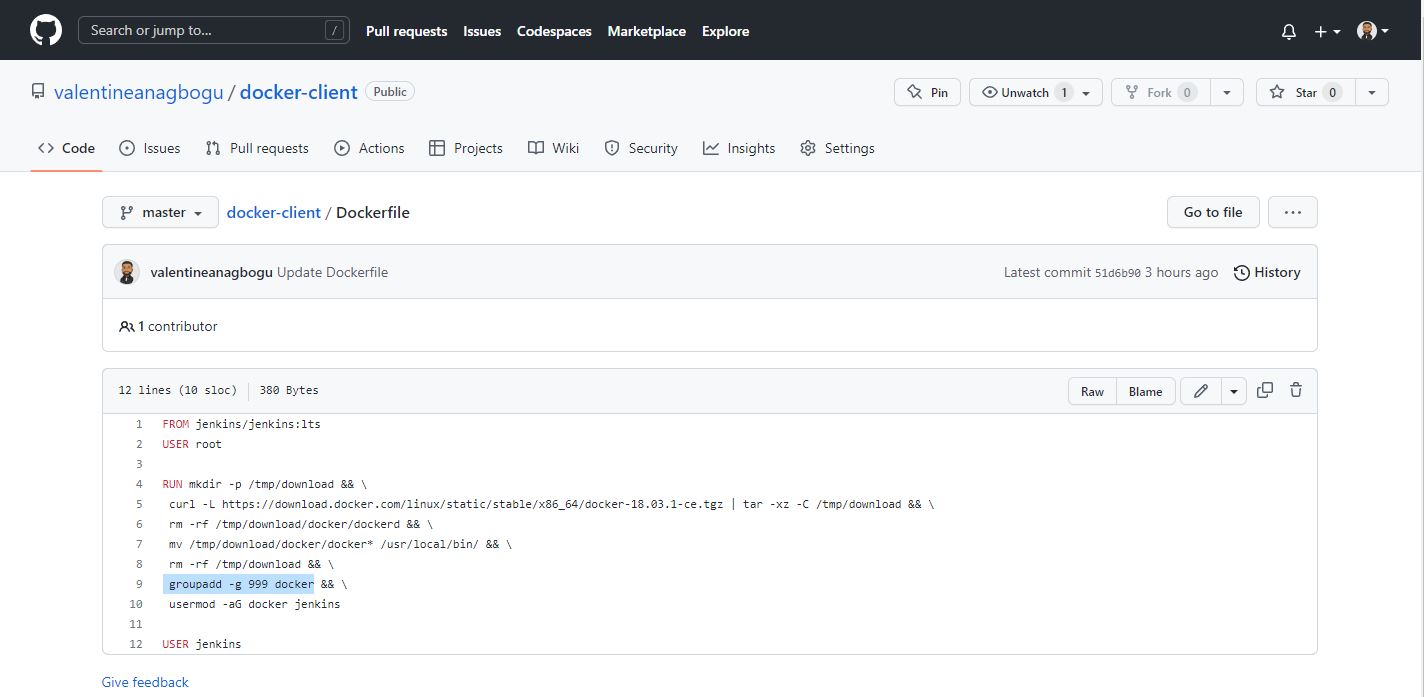
The Dockerfile builds a new Jenkins image with Docker client installed:
Clone the repository
git clone git@github.com:valentineanagbogu/docker-client.git


cd docker-client


# Build the custom Jenkins image


docker build -t jenkins-docker .
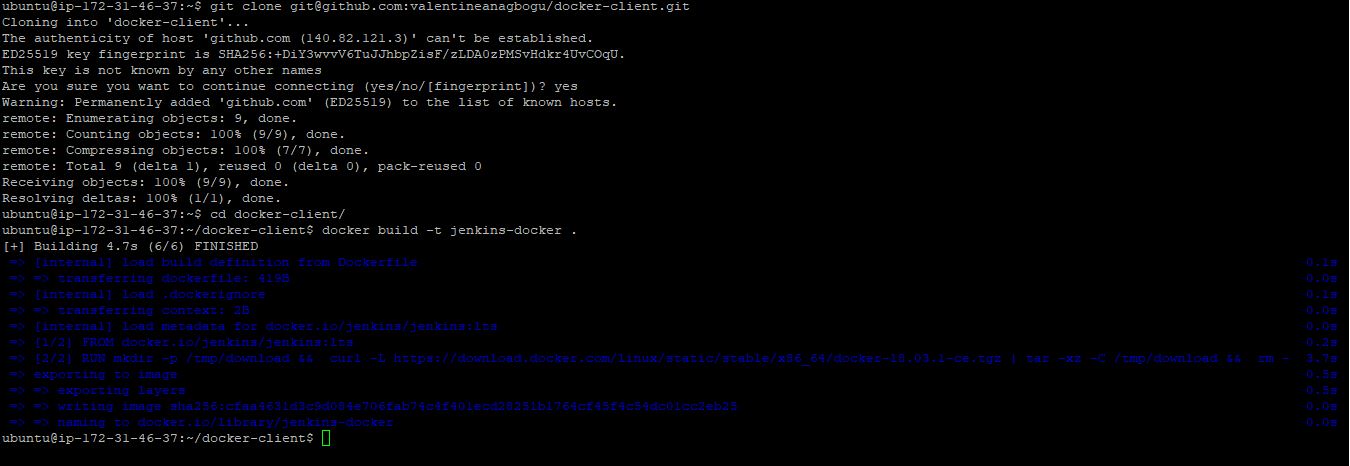
Replace the existing Jenkins container with the new image that includes the Docker client. Since the Jenkins home directory is persisted on the host, all plugins and configurations will be preserved:
# Verify the new image is built


docker image ls


# Stop and remove the current Jenkins container


docker stop jenkins


docker rm jenkins


Run the new Jenkins container with Docker socket mounted:
# Start new Jenkins container with Docker client


docker run -dt --restart always \
  -p 8080:8080 -p 50000:50000 \
  -v /var/jenkins_home:/var/jenkins_home \
  -v /var/run/docker.sock:/var/run/docker.sock \
  --name jenkins jenkins-docker


# Verify Jenkins is running


docker ps

/var/run/docker.sock) gives the
Jenkins container full access to the Docker daemon. For production environments, consider using Docker-in-Docker
(DinD) or implementing proper security measures.
5Configure Jenkinsfile to Build and Test Node.js Application
The Jenkinsfile defines the complete CI/CD pipeline workflow. It is stored in the project repository at
misc/Jenkinsfile in the
jenkins-nodejs
repository.
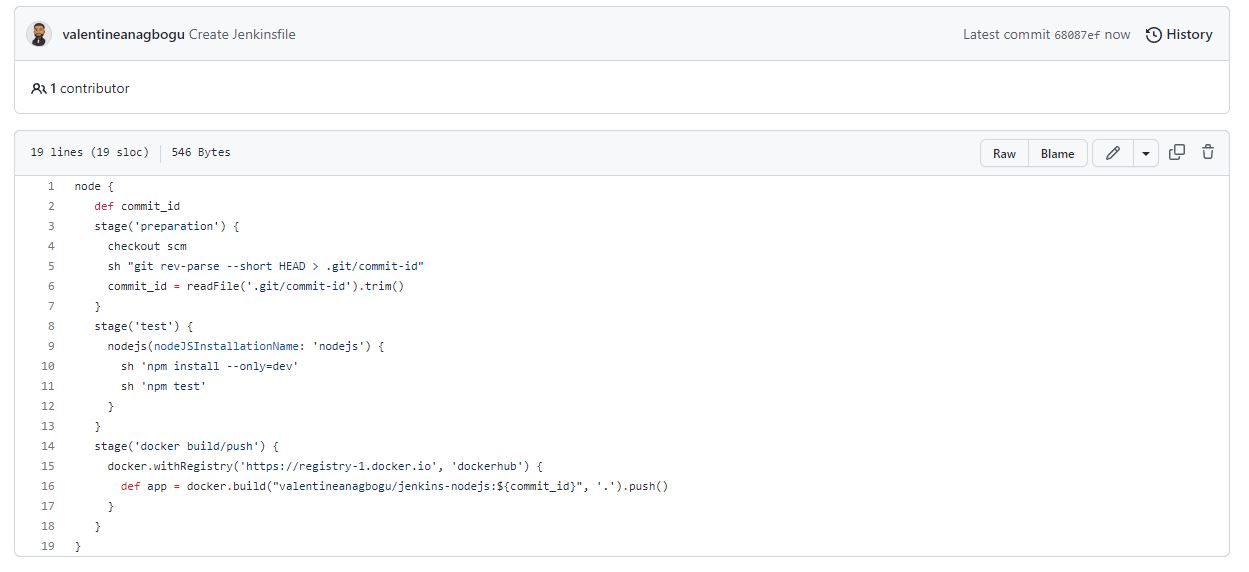
Pipeline Stages:
- Preparation Stage: Checkout source code and capture Git commit ID for image tagging
- Test Stage: Install NodeJS dependencies and run automated tests (
npm installandnpm test) - Docker Build/Push Stage: Authenticate with Docker Hub, build the Docker image, and push to the registry
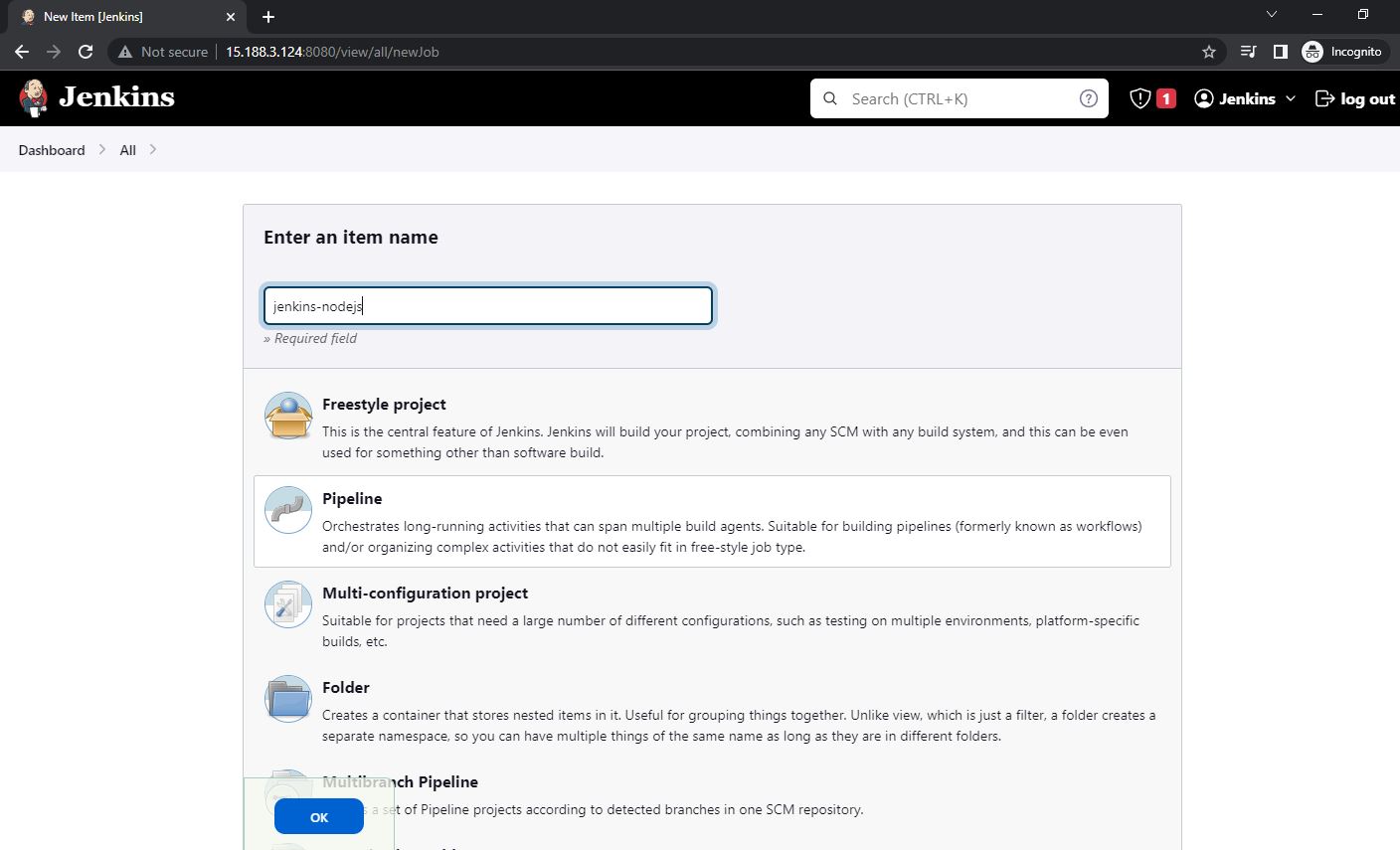
Create Jenkins Pipeline Job:
On the Jenkins Dashboard, create a new pipeline item:
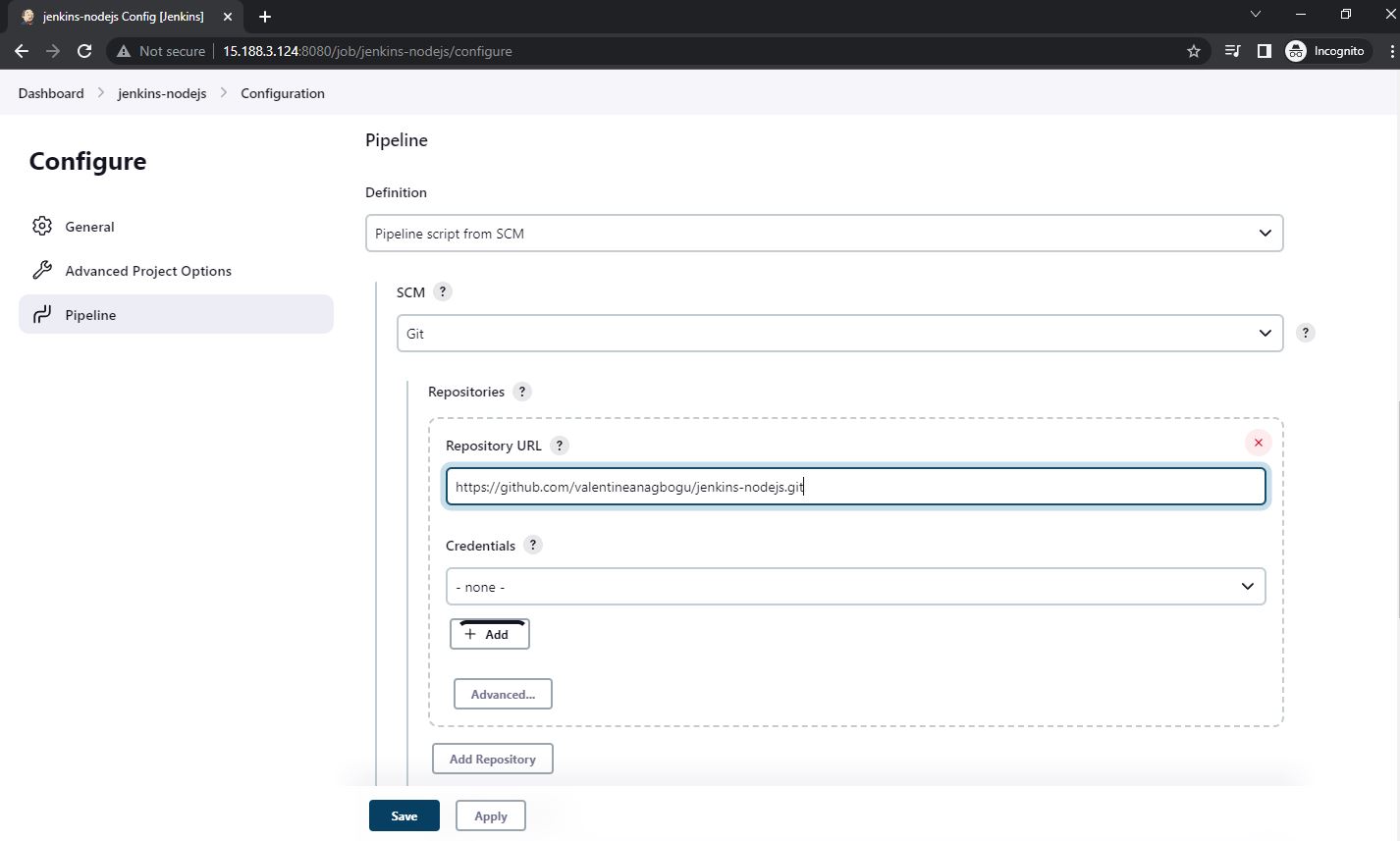
Configure the pipeline to pull from Git and specify the repository URL:
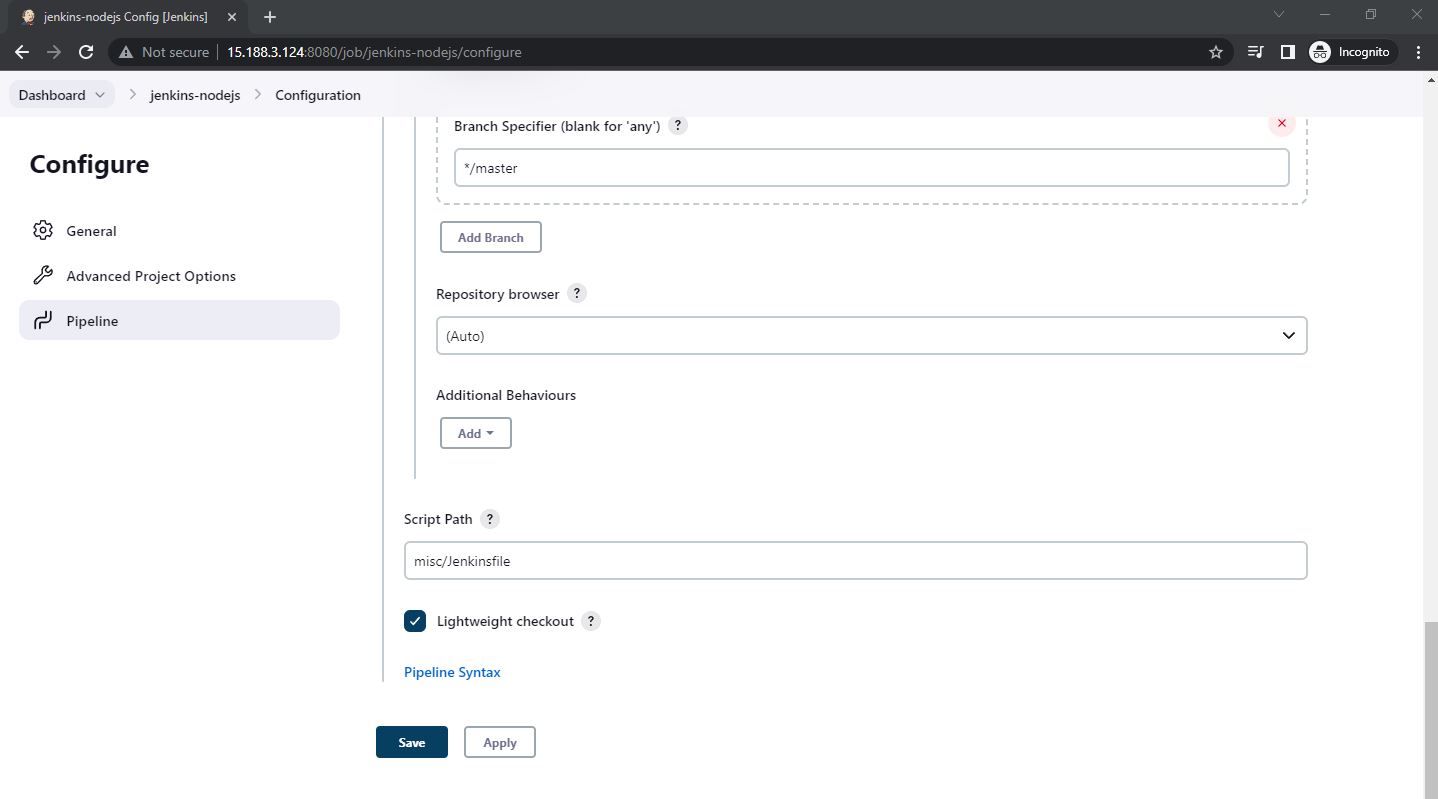
Set the script path to misc/Jenkinsfile:
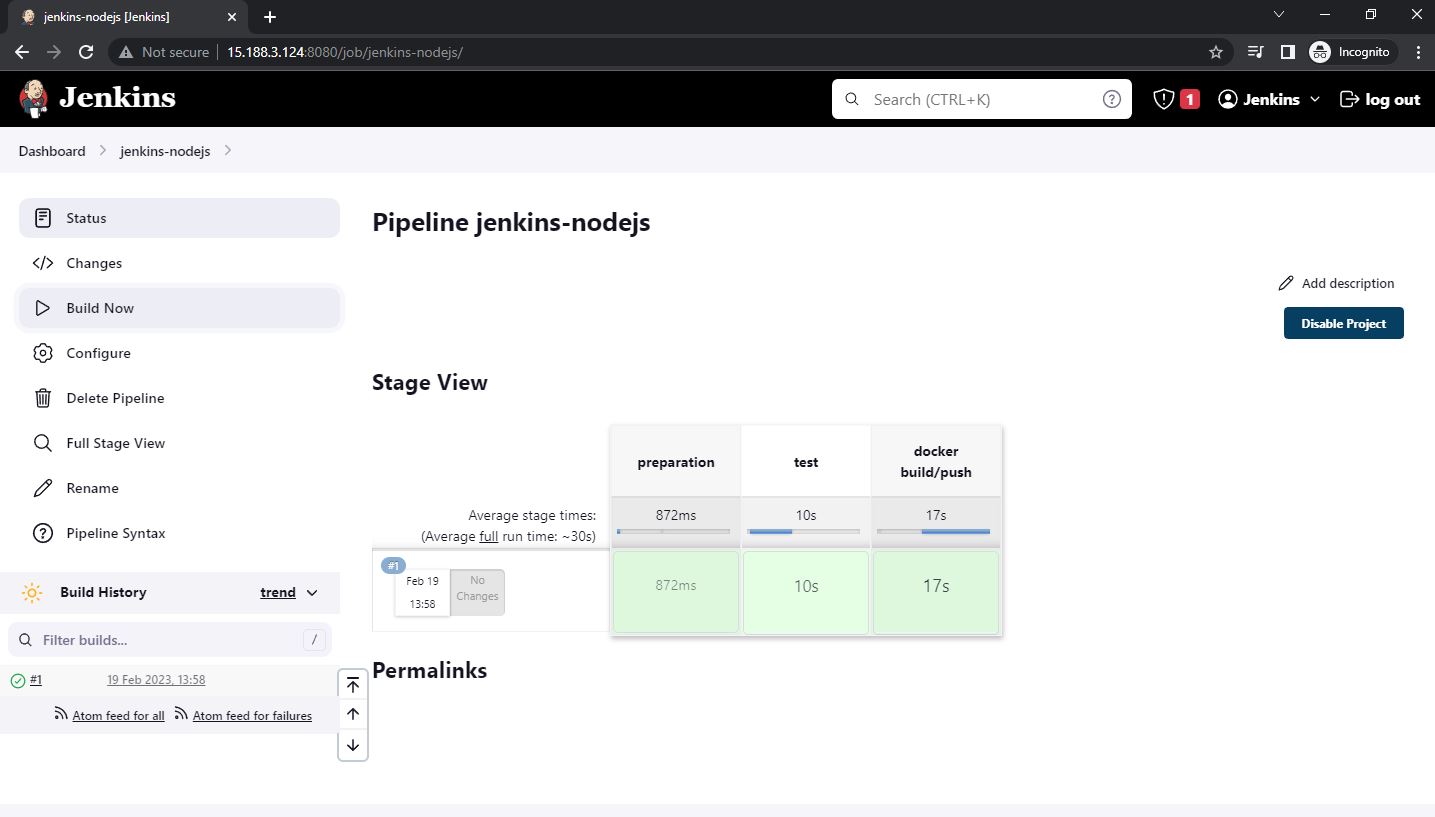
Build and Verify:
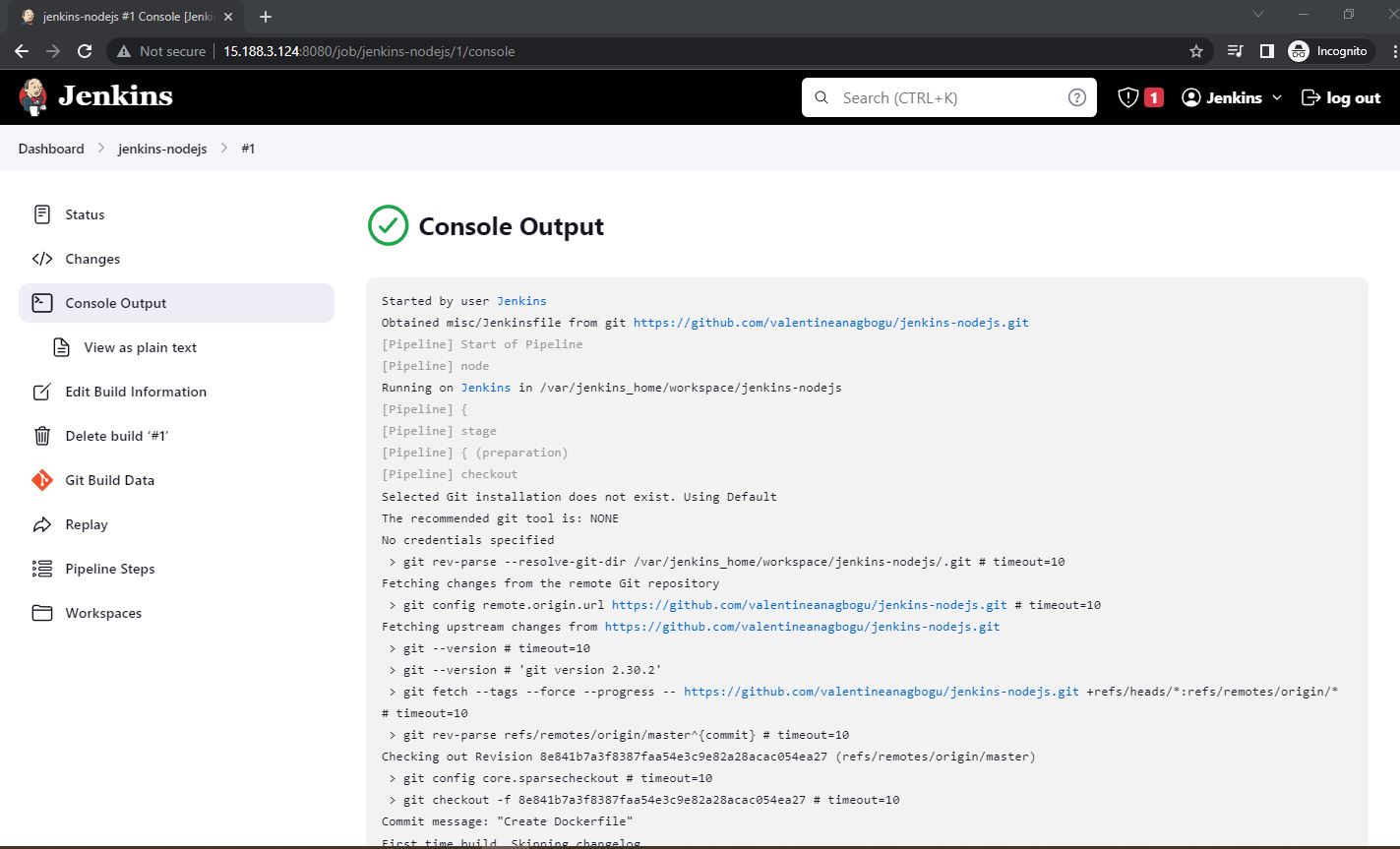
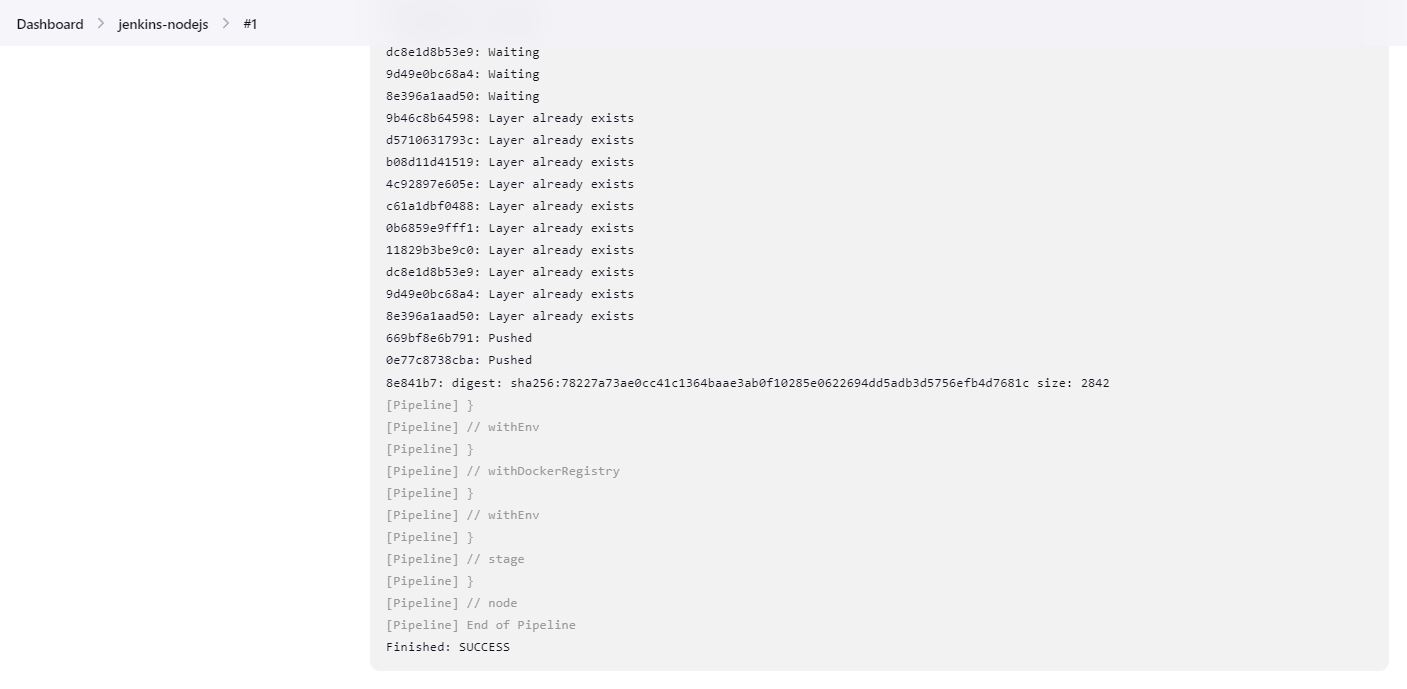
Save the configuration and trigger a build. The pipeline executes successfully:
Review the console output to see detailed build logs:
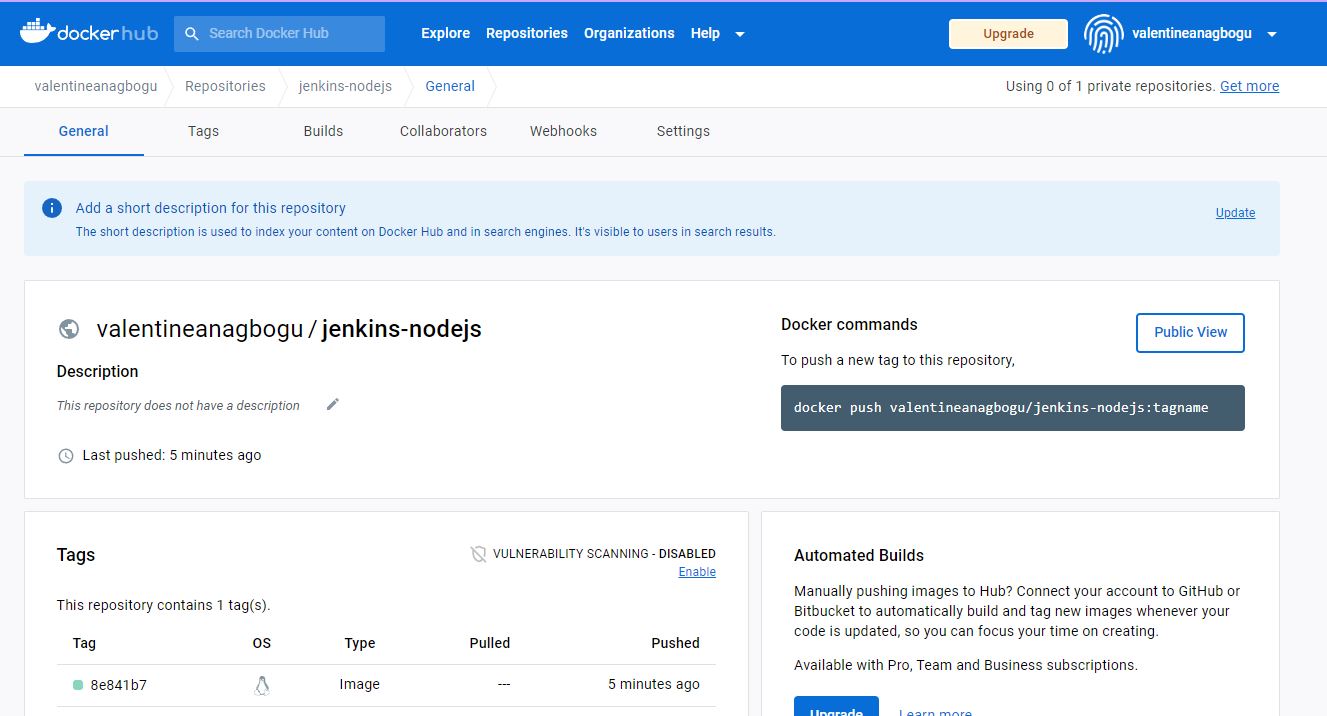
Verify the Docker image was successfully pushed to Docker Hub:
6Deploy and Test the Application
Pull the built image from Docker Hub and deploy the containerized application:
# Login to Docker Hub


docker login


# Pull the image from Docker Hub (use your specific tag)


docker pull valentineanagbogu/jenkins-nodejs:8e841b7


# Verify the image is downloaded


docker image ls


# Run the container


docker run -dt -p 3000:3000 \
  --name node-js-app \
  valentineanagbogu/jenkins-nodejs:8e841b7


# Test the application


curl http://localhost:3000

Access the application in a web browser:

Key Achievements
- Configured Jenkins server in a containerized environment with persistent storage
- Integrated Docker client within Jenkins for container image building
- Implemented automated CI/CD pipeline using Jenkinsfile (Pipeline as Code)
- Automated Node.js application testing with npm test integration
- Built and versioned Docker images using Git commit IDs for traceability
- Automated Docker image publication to Docker Hub registry
- Successfully deployed containerized application from published images
- Configured secure credential management for Docker Hub authentication
Technologies Used
Repository
Conclusion
This project demonstrates a complete implementation of CI/CD principles using Jenkins, one of the most widely-used automation servers in the industry. The automated pipeline eliminates manual build and deployment steps, reduces the risk of human error, and accelerates software delivery cycles.
By containerizing the application with Docker and publishing images to Docker Hub, the solution enables consistent deployments across different environments. The use of Jenkinsfile as Pipeline as Code ensures the CI/CD configuration is version-controlled alongside the application code.
The skills demonstrated in this project are fundamental to modern DevOps practices and directly applicable to enterprise software delivery workflows, microservices architectures, and cloud-native application development.